Travel itinerary
Travel itinerary for the trip you’re actually taking
A travel itinerary is a plan for where you’ll be, what you’ll do and how you’ll get between places during a trip. It usually holds your dates, where you sleep, transport and anything booked. A useful one also leaves room for meals, delays and the hours before check-in and after checkout.
With Amicly you can build a day-by-day itinerary around your destination, interests and pace, or check a plan you already have. Places are looked up on Google Maps, journeys are timed with Google Routes, and anything that doesn’t add up is flagged. When the day changes, you re-plan the free time around the stops you’ve marked as booked.
Your first AI trip plan is free with a free account. Your trips stay on your phone.
Start where you are
Travel itinerary guides
Each guide does one job. Pick the one that matches where you are in planning, or start from the complete guide to itineraries.
Understand it
- What is a travel itinerary? Meaning, examples and how to read oneWhat itinerary means, the three documents people call an itinerary, how to read every code on a flight itinerary, and what a visa office actually asks for.
- Itinerary examples: four real trips, checked day by dayFour sample itineraries with real dates, a map each and official opening days: a Lisbon weekend, five December days in Rome, a week in Japan by Shinkansen and a three-day work trip.
Build it yourself
- How to make a travel itinerary, step by stepA seven-step method for a day-by-day plan that works on the ground, with a Paris draft that fails on closing days and the fixed version, plus opening days for 38 famous sights.
- Free travel itinerary template (Excel, Word and printable PDF)A free, no-sign-up travel itinerary template in Excel, Word and PDF, with a daily plan, booking list and a leave-by calculator for travel days.
Your kind of trip
- Family travel itinerary: how to plan days that work with childrenHow many hours children can really sightsee by age, the shape of a day that works, and a dated two-day London plan with a map, opening hours and walking distances.
- Multi-city itinerary: how to plan a trip through several citiesHow long a move between cities really takes (door-to-door times for 18 train routes), how many nights each city needs, which order to go in, and a ten-day Italy plan built around its move days.
Plans from AI
- AI itinerary generator: what each tool checks, and how to use one wellThirteen AI trip planners compared on what their makers say they check, book and export, what the 2024 to 2026 studies found about AI itinerary errors, a prompt that works, and the 12 checks Amicly runs in code.
- Can you trust an AI travel itinerary? How to check one in 10 minutesAI is good at a first draft and bad at facts that change. Here’s what the 2026 surveys found, the mistakes that strand people, and a 10-minute check for any plan.
Travel days
- What to do before hotel check-in (when you land hours early)Go to the hotel first, then fill the gap nearby. With official check-in times and early check-in rules for 12 hotel chains, a plan for each landing time, and an email to send before you fly.
- Where to store luggage after hotel checkout (and before check-in)Ask the hotel first, then a staffed desk or locker on your route, then a storage app. Prices from London, Tokyo, Paris, Rome and New York, and what each option really covers.
- Jet lag with kids: how to get through the first day after an overnight flightDaylight, local mealtimes, short naps and an early night, plus what to do with the hours before the hotel room is ready. With a sample landing day by age.
- How early to get to the airport for an international flightThree hours is the standard answer. Here’s where it comes from, the airline deadlines that really decide whether you fly, and how to work out when to leave.
Let Amicly do it
- AI travel planner that checks its own planHow Amicly builds a day-by-day itinerary and checks every place, journey and closing day.
- Arrival and departure plannerThe hours between landing and check-in, and between checkout and your flight.
- Itinerary app for your phoneWhat the Amicly app does during the trip, what opens offline and what free includes.
What should a travel itinerary include?
Enough detail to answer the next practical question: where do I go, when do I leave, and what can move if I’m running late?
| Part of the itinerary | What to record | Why it matters |
|---|---|---|
| Dates and usable time | Arrival, departure and the full days between them | A late landing doesn’t leave a full day for sightseeing |
| Where you sleep | Hotel area, address, check-in and checkout times | Each move needs time for bags and reaching the next room |
| Fixed commitments | Trains, timed tickets and confirmed reservations | Everything flexible has to fit around them |
| Daily route | Places in visiting order, with meals and breaks | A list of sights doesn’t show whether the day fits |
| Journeys | How you’ll travel, how long it takes, time to reach the entrance | Close on a map can still mean an awkward transfer |
| Costs | What’s paid, what’s estimated and what’s still unknown | A suggested price isn’t a quote |
| Alternatives | Something nearby to swap in or skip | You can adjust without rebuilding the trip |
Keep tickets and confirmations separately. A stop in a planner records what you intend to do; the provider’s confirmation is what you actually bought. Keep private booking references out of any copy you share.
How do you build a travel itinerary with Amicly?
Tell Amicly where you’re going, for how many days, what you like and how busy you want the days to be. It outlines the trip by day and area first, then writes each day with named places in visiting order.
Start with the destination and the days you really have
Check the usable time against your flights. If you land on Friday evening and fly home on Monday morning, Saturday and Sunday are your full days. Keep the arrival evening small and plan the departure separately. Adding a museum to Friday doesn’t create the time to visit it.
For a trip with several bases, write down where you sleep each night first. A hotel move means packing, checkout, the journey, bags and check-in. Whether you need one base or several depends on the route and the trip you want, not on a fixed number of nights per city.
Review the day, not just the list of places
Look at the route from your hotel, the gaps between stops and how much of the day is spent moving. Keep the thing you care about most and drop a lesser stop if it makes the rest of the day hard. Several short stops in one neighbourhood can be easier than two long visits on opposite sides of a city.
Read what was checked and what wasn’t
Amicly looks up each stop on Google Maps and checks that the returned name matches. A place it can’t match is marked unverified. Journeys are timed with Google Routes, and code checks opening days, gaps between stops and overloaded days. Adding dates makes the date checks more useful.
A place found on Google Maps isn’t a ticket, a promise of entry or proof that holiday hours are right. Open the place’s own website for anything important. How Amicly builds and checks a plan explains each check and its limits.
Prefer to do it by hand? Follow how to make a travel itinerary, step by step.
What does a real travel itinerary look like?
Here is day 1 of a real 3-day Lisbon plan made in Amicly on 21 Oct 2026, “Markets, tascas and classic Lisbon flavors”. Across the whole trip its check found 16 of 18 places on Google Maps and timed 11 journeys. Those figures belong to this plan, not to every itinerary Amicly makes.
| Time | Stop | Area | Check |
|---|---|---|---|
| 09:00 | Manteigaria Chiado | Chiado | Found on Google Maps |
| 10:00 | Praça do Comércio | Baixa | Found on Google Maps |
| 11:15 | Conserveira de Lisboa | Baixa | Found on Google Maps |
| 12:45 | Time Out Market Lisboa | Cais do Sodré | Found on Google Maps |
| 16:00 | A Ginjinha | Rossio | Found on Google Maps |
| 19:00 | Taberna da Rua das Flores | Chiado | Found on Google Maps |
This is a product example, not a booking or a route checked for your dates. Opening arrangements and how long you want at each place still need your attention. If you book the dinner, mark that stop as booked; appearing in a generated route doesn’t mean a table is reserved.
Use it to judge the kind of day you want. If lunch and browsing matter more than six stops, remove an afternoon stop and keep the gap. For more ways an itinerary can be laid out, from a one-line route to a timed day, see travel itinerary meaning and examples.
How should you plan the first and last day?
Give them their own plan. Landing, reaching the hotel and checking in are part of the trip, and so are checkout, collecting bags and getting to the airport. Amicly’s arrival and departure planner takes your travel and hotel times, the airport or station, your hotel area, group, bags, energy and budget, and plans the gap rather than treating the day as free.
Arrival example
Say you land at 08:30 and your room is ready at 15:00. That’s six and a half hours on paper, but passport control, bags and the transfer use part of it. Find out whether the hotel can hold your bags, then choose an easy meal or a stop close by. Our guide to what to do before hotel check-in goes through the options.
Departure example
Amicly works back from your departure. It sets an airport target of 3 hours before an international flight, 2 hours before a domestic one or 30 minutes before a train, then a leave-by time using the transfer estimate and a traffic margin of at least 15 minutes. The sums follow fixed rules; the transfer time is still an estimate. If your airline says something different, follow your airline.
Collect your bags before the leave-by time, not the flight time. Put lunch or a last walk near where the bags are, and keep anything that could run late easy to drop.
How do you check the times fit together?
Work back from anything fixed. Use the expected journey, the venue’s arrival instructions and your group’s needs to decide when to leave. No single buffer percentage makes every walk, airport transfer and ferry connection safe.
Imagine a museum booking at 10:30, a 40-minute journey and a wish to arrive 20 minutes early. You’d leave by 09:30 and arrive at about 10:10. Leave at 10:00 and you’d reach the door around 10:40, after your slot began. These times are illustrative, not a checked route.
| Timing step | Illustrative time |
|---|---|
| Leave the starting point | 09:30 |
| Journey | 40 minutes |
| Estimated arrival | 10:10 |
| Planned margin before entry | 20 minutes |
| Booked entry | 10:30 |
Do the same sum for the first stop after lunch, any hotel move and the last journey of the day. If the numbers don’t fit, move or remove something. If every day feels like this, read how to avoid an overcrowded itinerary before adding more.
How do you change the plan without losing bookings?
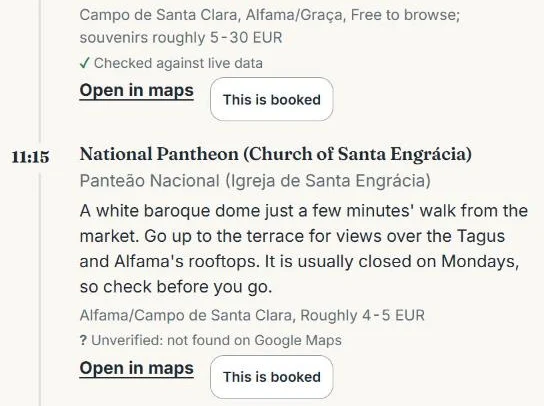
Mark anything you’ve really reserved “This is booked”. When you re-plan, Amicly keeps booked stops at their times, leaves earlier stops as they were and only rewrites the free time. The result says what was kept, moved, added or removed.
If it starts raining after lunch, re-plan the rest of the afternoon. You might swap an outdoor walk for one indoor stop nearby, keep time for a meal and hold on to the evening reservation. Check that the replacement is open before buying a ticket.
If a booking itself is cancelled, sort that out with the provider and update the stop first. Keeping a reservation fixed only helps while it’s still the one you mean to use.
Can you check a travel itinerary you already have?
Yes. Bring a draft from ChatGPT, a blog, a friend or your own notes and paste it into Check my itinerary. Amicly looks up the places, times the journeys and runs the same checks. You get problems first, then warnings and tips, each with its evidence and a suggested fix. Your first check is free.
Give it real place names in visiting order. “Museum in the morning” is harder to check than a named museum, a date and an entry time. If a place comes back unverified, confirm which place you meant rather than accepting a similar name.
It’s most useful before you book around a borrowed itinerary, and again after a big change to the route. It doesn’t decide visa questions, reserve tickets or replace the provider’s instructions.
Which itinerary format should you use?
Use the app if you want Amicly to build and check the days. Use a document or spreadsheet if you’d rather assemble the plan yourself or need a file to share with the people you travel with. Neither turns an idea into a booking.
Amicly’s free travel itinerary template in Excel, Word and printable PDF has a trip overview, a booking list, a daily plan, a budget and a leave-by calculator for travel days. A file you fill in yourself isn’t checked by the app, so check the places and journeys in it the same way.
Whatever you use, keep these differences visible:
| Detail | Record it as | Next step |
|---|---|---|
| An entry ticket you’ve bought | Booked, with its date and local time | Keep the confirmation and the arrival instructions |
| A place you’d like to visit | Optional or not booked | Check the date, entry rules and the journey |
| A price or travel time from a draft | Estimate | Confirm it before a decision depends on it |
| A place Amicly couldn’t match | Unverified | Find the exact place or pick a confirmed alternative |
In the budget, keep room costs, per-person costs and shared transport apart, use one currency for the total and note what’s already paid. Amicly’s itinerary checks aren’t an expense tracker.
Travelling as a group? Agree where everyone reads the current version. Amicly keeps your trip on your phone, so a change won’t appear on a friend’s phone by itself. Share a document if that’s how your group coordinates.
How do you keep the itinerary usable on your phone?
Amicly saves your plans, pinned apps and hotel address on your phone, and saved content opens offline. Making, checking or changing a plan needs a connection. Open what you’ll need before you lose signal, and keep your tickets available separately.
Before you go, the country guides cover the transport, payment and translation apps a destination needs. The guides on the website and the kits in the app cover different ground: China has a full in-app kit today, and other destinations get general travel apps. The hotel address in the local script helps when you show it to a driver.
You can use Amicly in your browser or add it to your phone’s home screen. It isn’t in the App Store or Google Play yet. The Amicly itinerary app page covers what it does on the road and exactly what works offline.
Questions about travel itineraries
Is a travel itinerary the same as a flight itinerary?
No. A flight itinerary is the airline’s record of your flights: airports, dates, times and a booking reference. A travel itinerary covers the whole trip, including where you sleep, what you do and how you get between places. A plan you wrote yourself doesn’t prove that a ticket was bought.
How detailed should my itinerary be?
Be exact about commitments: departures, hotel times, booked entries and meeting points. Keep optional sightseeing in morning, afternoon and evening blocks. How many stops fit depends on distance, the length of each visit and your group, not on a fixed daily number.
Can I make a travel itinerary for free with Amicly?
Your first AI trip plan is free. So are 1 re-plan, 2 price checks, 1 itinerary check and 1 arrival or departure plan per city. The Trip Pass will add more for 30 days. The Trip Pass isn’t on sale yet.
Does Amicly book the trip for me?
No. Amicly plans and checks itineraries. It doesn’t book flights, hotels or tickets. Buy from the provider, then mark the stop as booked once you have the confirmation.
Can a checked itinerary still have mistakes?
Yes. Map listings, opening hours and journey conditions change and can be incomplete. Amicly labels what it couldn’t verify and marks estimates as “not checked live”. Confirm important entry times with the provider, especially around holidays.
Can I use the itinerary offline?
Saved plans open without a connection on the phone that holds them. Making, checking or changing a plan needs one. Saving a plan doesn’t download maps, tickets or linked pages, so save those separately.
What if I travel with children or need step-free access?
Choose a pace and an arrival plan that suit the group, including bags and rest. Confirm accessible entrances, lifts and transport with the operator. A place appearing on a map doesn’t certify step-free access.
Start with your next trip
Choose your destination and pace, review the route and what was checked, then keep the plan on your phone.
Everything on this page about how Amicly works is taken from the app’s own rules and a real saved plan. How we review · Pricing and free allowances